Contents
- 1. How to Connect Zoho Books to the MRA EBS System
- 2. Does Zoho Books Support MRA E-Invoicing Out of the Box?
- 3. How Does Automatic QR Code and IRN Generation Work on Invoices?
- 4. What Happens to Billing if the MRA System Goes Offline or Internet Disconnects?
- 5. Does the MRA EBS Integration Work for Credit Notes, Debit Notes, and Cash Sales?
- 6. Final Summary & Next Steps
- 7. Frequently Asked Questions
- 7.1. How do I generate an e-invoice in Zoho Books for MRA compliance?
- 7.2. What is the deadline for businesses in Mauritius to implement MRA e-invoicing?
- 7.3. How long does it take to connect Zoho Books to the MRA EBS portal?
- 7.4. What happens if a business fails to comply with MRA e-invoicing regulations?
- 7.5. Do I need to upgrade my Zoho Books subscription plan for MRA compliance?
- 7.6. Will MRA e-invoicing affect my existing customer invoice layouts?
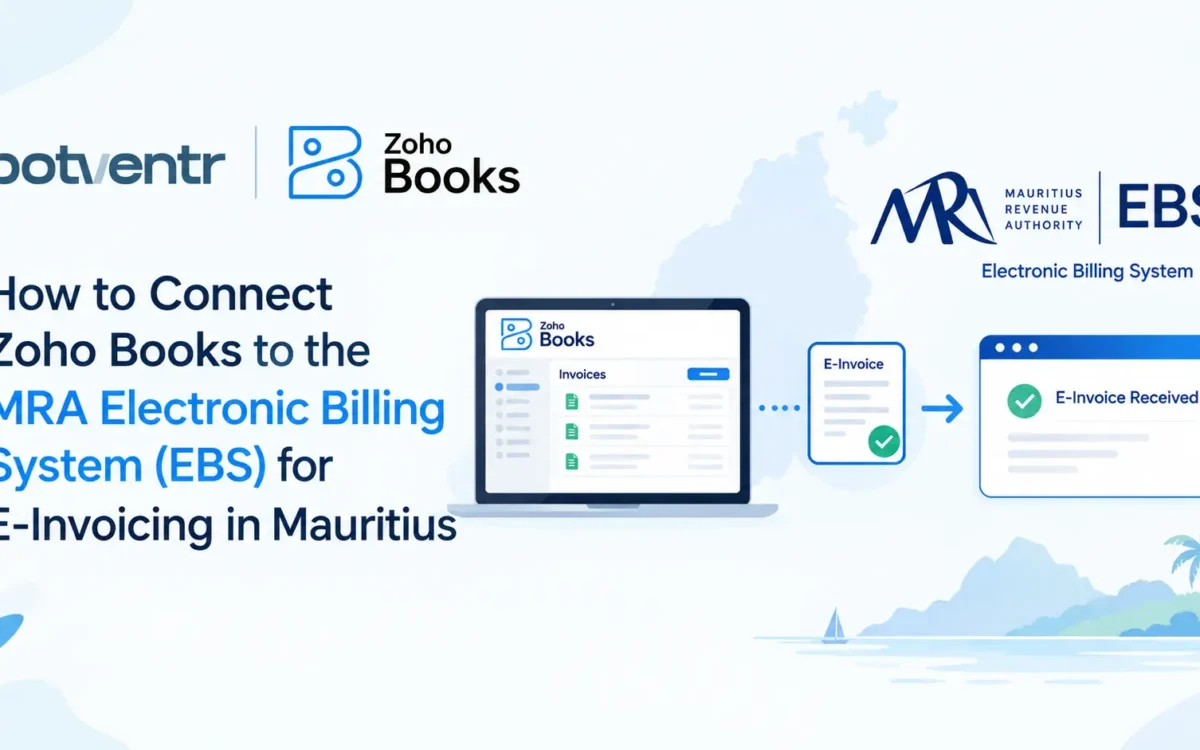
How to Connect Zoho Books to the MRA Electronic Billing System (EBS) for E-Invoicing in Mauritius
The Mauritius Revenue Authority (MRA) requires all VAT-registered businesses to transmit sales transactions in real time to the Electronic Billing System (EBS). If your business uses or plans to use Zoho Books for E-Invoicing in Mauritius for daily accounting, ensuring your invoicing workflow meets these electronic tax mandates is critical to remaining compliant and avoiding regulatory penalties.While Zoho Books provides robust financial tools, linking it directly to MRA servers requires a specific integration approach.Key Takeaway: Zoho Books does not connect to the MRA EBS natively. To achieve 100% compliance, businesses in Mauritius use a certified API bridge that automatically transmits invoice data, fetches unique Invoice Registration Numbers (IRNs), and prints MRA QR codes onto customer receipts in real time.
How to Connect Zoho Books to the MRA EBS System
Connecting Zoho Books to the MRA Electronic Billing System requires a 3-stage setup process to bridge your accounting software with government tax servers.3 Steps to Connect Zoho Books for E-Invoicing in Mauritius are:
Step 1: Obtain Your MRA EBS Developer Credentials
- Register your business on the official MRA Developer/EBS portal using your valid Business Registration Number (BRN) and VAT number.
- Request access keys to generate your unique User ID, Secret Key, and System ID for both sandbox testing and live production.
Step 2: Prepare Your Zoho Books Organization Profile
- Navigate to Settings > Organization Profile in Zoho Books and verify that your legal name, address, BRN, and VAT numbers match your official MRA tax records.
- Go to Settings > Preferences > Custom Fields and create mandatory fields for:
- Buyer BRN (for B2B customers)
- Buyer VAT Number
- MRA Item Tax Category (15% Standard, Zero-Rated, or Exempt)
Step 3: Deploy the Certified API Bridge & Test Invoicing
- Connect your Zoho Books Webhooks to your certified MRA API integration bridge.
- Run test transactions in the MRA sandbox environment to verify that invoice payloads serialize correctly.
- Once approved, switch the bridge endpoint to the live production server. Every approved invoice will now automatically fetch an IRN and render an MRA QR code.
Does Zoho Books Support MRA E-Invoicing Out of the Box?
No, Zoho Books does not support direct integration with the Mauritius Revenue Authority (MRA) Electronic Billing System (EBS) out of the box. To enable Zoho Books for E-Invoicing in Mauritius, businesses must use a certified custom API bridge or partner integration to transmit real-time invoice data and generate required QR codes.To achieve 100% compliance and Connect Zoho Books for E-Invoicing in Mauritius, your Zoho setup requires three key technical elements:- API Bridge Configuration: Connecting Zoho Books webhook triggers to MRA servers.
- IRN & QR Code Sync: Automatically fetching tax registration numbers onto PDF invoices.
- Error Handling: Ensuring offline sales queue properly until the connection resumes.
What are the Technical Prerequisites Before Connecting Zoho Books to MRA EBS?
Before connecting Zoho Books to the Mauritius Revenue Authority (MRA) Electronic Billing System (EBS), a business must obtain an active MRA EBS Developer/POS Credential, hold a valid Business Registration Number (BRN) and VAT number, and have an API bridge solution capable of formatting JSON payloads to MRA fiscalization standards.To avoid transmission failures during live billing, ensure the following prerequisites are met in your Zoho Books account before API activation:- MRA EBS Portal Registration: Submit your application on the MRA portal to register as an EBS user and generate your sandbox and production API credentials (User ID and Secret Key).
- Company Data Mapping: Update your Zoho Books Organization Profile so that your BRN, VAT number, and legal registered address match your official MRA tax registration records exactly.
- Item & Tax Code Configuration: Map all inventory items and services in Zoho Books to corresponding MRA tax categories (Standard Rated at 15%, Zero-Rated, or Exempt).
- Customer Field Customization: Add mandatory custom fields in Zoho Books for buyer BRN and VAT details to support B2B invoice transmission.
How Does Automatic QR Code and IRN Generation Work on Invoices?
When an invoice is approved in Zoho Books, a background webhook transmits the transaction payload to the MRA EBS server, which validates the tax calculations and instantly returns a unique Invoice Registration Number (IRN) along with an encrypted MRA QR Code to print directly onto the final PDF invoice.The 4-Step Technical Workflow
- Transaction Approval: Your staff creates and approves a sales invoice, cash receipt, or credit note inside Zoho Books as normal.
- Payload Serialization: The API bridge converts the invoice details (line items, VAT rates, BRN, discounts) into an MRA-compliant JSON structure.
- MRA Fiscalization: The MRA Electronic Billing System receives the payload, assigns a digital signature, and records the invoice in real-time.
- Automated Document Stamping: The returned IRN, QR code image, and MRA response timestamp automatically populate the custom footer fields of your standard Zoho Books invoice template.
What Happens to Billing if the MRA System Goes Offline or Internet Disconnects?
If your internet connection fails or the MRA platform undergoes maintenance, an enterprise-grade API bridge queues generated invoices in an offline storage buffer and automatically retries transmission once the connection is restored, ensuring daily sales operations never stop.Operating during intermittent connectivity requires specific system safeguards to prevent compliance gaps:- Offline Queueing Buffer: Invoices generated during network downtime receive a temporary local status tag so billing staff can continue serving customers without delay.
- Auto-Retry Mechanisms: Once server connectivity resumes, the bridge pushes queued transactions chronologically to prevent sequence errors.
- Duplicate Submission Protection: Built-in payload hashing prevents the system from submitting the same transaction twice if a timeout occurs mid-transmission.
- Audit Trail & Error Logs: Detailed logs record any failed API calls (such as invalid VAT numbers or formatting errors) so your team can correct and resubmit documents quickly.
Does the MRA EBS Integration Work for Credit Notes, Debit Notes, and Cash Sales?
Yes, the MRA e-invoicing framework requires all commercial document types, including standard B2B sales invoices, cash sales receipts, credit notes, and debit notes, to undergo real-time fiscalization through the Electronic Billing System.| Document Type in Zoho Books | MRA Requirement | Key Field Handled by API Bridge |
| Standard B2B Invoice | Real-Time Fiscalization | Buyer BRN, VAT Number, Itemized VAT |
| Cash Sales Receipt | Real-Time Fiscalization | Retail Tax Flag, Total VAT Breakdown |
| Credit Note / Adjustment | Reference Original Invoice | Links to Original IRN & Date |
| Debit Note | Reference Original Invoice | Incremental Tax Calculation & Original IRN |
Final Summary & Next Steps
Integrating Zoho Books with the MRA Electronic Billing System ensures your business stays compliant while enjoying automated accounting workflows after successfully connecting your Zoho Books for E-Invoicing in Mauritius. By deploying a certified API bridge, you avoid manual tax filings, eliminate human entry errors, and guarantee that every invoice issued contains valid MRA digital stamps.Key Takeaways:
- Zoho Books connects to MRA EBS only via API webhooks and custom fields.
- Mandatory fields include Buyer BRN, VAT number, and IRN digital signatures.
- Full setup takes 3–7 days with an authorized Zoho partner.
Frequently Asked Questions
How do I generate an e-invoice in Zoho Books for MRA compliance?
Once your Zoho Books account is connected to the MRA Electronic Billing System (EBS) via an API bridge, generating an e-invoice follows your standard billing workflow:
- Create the Invoice: Go to Sales > Invoices in Zoho Books and create a new invoice, selecting the customer’s Business Registration Number (BRN), VAT number, and appropriate line-item tax rates (15% Standard, Zero-Rated, or Exempt).
- Approve the Transaction: Click Save and Send or approve the draft. This action automatically triggers a background webhook.
Automated MRA Stamping: The API bridge transmits the payload to MRA servers, fetches the returned Invoice Registration Number (IRN) and MRA QR Code, and attaches them directly to the final PDF invoice before it reaches your customer.
What is the deadline for businesses in Mauritius to implement MRA e-invoicing?
The Mauritius Revenue Authority (MRA) is rolling out Electronic Billing System (EBS) compliance in phased schedules based on business turnover and industry. Mandatory compliance began with large taxpayers (turnover exceeding MUR 100 million) and has expanded in phases to medium-sized enterprises. Businesses notified directly in writing by the MRA must comply according to the specific deadline stated in their notice.
How long does it take to connect Zoho Books to the MRA EBS portal?
A standard integration for a small-to-medium business typically takes 3 to 7 business days. This includes sandbox testing on the MRA Developer Portal, custom field mapping in Zoho Books, invoice template customization, and live production deployment.
What happens if a business fails to comply with MRA e-invoicing regulations?
Issuing non-fiscalized invoices or operating an unregistered billing system can result in statutory regulatory fines from the MRA, rejection of input VAT deduction claims by your B2B customers, and increased risk of tax audit flags during annual assessments.
Do I need to upgrade my Zoho Books subscription plan for MRA compliance?
No specific plan upgrade is mandated by Zoho, but your account must support Webhooks and Custom Fields. These developer features are available on the Professional, Premium, Enterprise, and Zoho One subscription tiers.
Will MRA e-invoicing affect my existing customer invoice layouts?
No. Your custom business logo, branding colors, and payment instructions remain completely intact. The API integration simply attaches the mandatory compliance elements, the MRA Invoice Registration Number (IRN), digital timestamp, and MRA verification QR code, to the footer or sidebar of your standard Zoho Books invoice template.